Resize Videos for Reels, Shorts, Stories and More
Turn one video into every vertical, square, and landscape ad format. Cloud processing, MP4/WebM/MOV output — unlimited on the Full Plan.
Video works exactly like images in Aspectr — upload once, select platforms and formats, adjust crops, download a ZIP — with two differences: processing happens on cloud servers instead of your browser, and one upload can produce both resized videos and extracted still images.
Upload a video
Drop an MP4, MOV, or WebM file into the upload zone. Aspectr reads the duration and generates a thumbnail, then takes you to platform selection. 18 of the 20 platforms have video placements — 109 video formats in total, from Reels and Shorts to in-stream and bumper ads.
The "Create As" toggle: video or image outputs
With a video source, the format step gains a CREATE AS toggle. In Video mode you select video formats (Reels, Shorts, in-stream…). In Image mode you select image formats that will be created from a single frame of your video — thumbnails, banners, static ads. You can select from both modes in the same batch; the badge on each toggle shows how many formats you've picked in each.
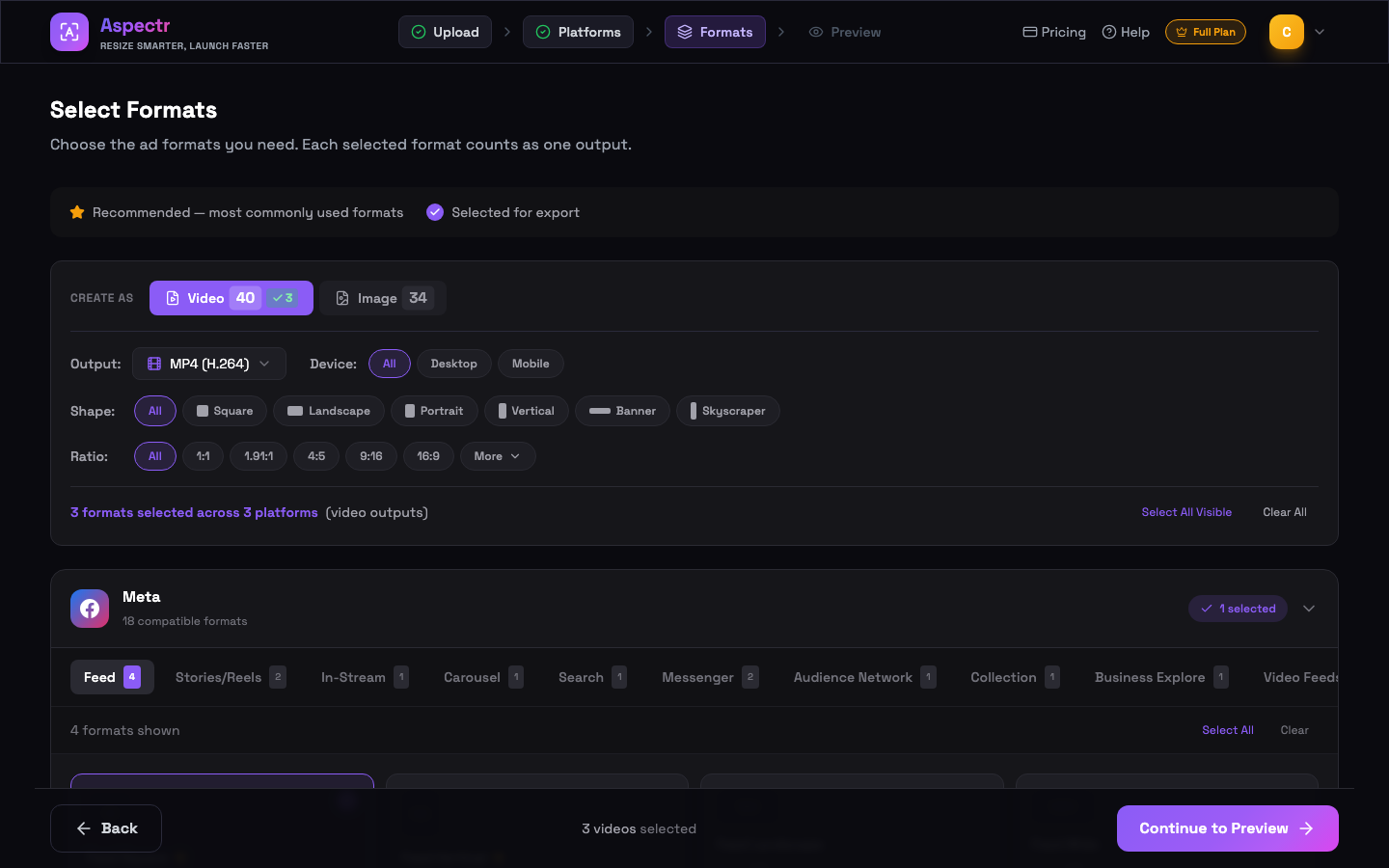
Output format
| Output | Best for |
|---|---|
| MP4 (H.264) | Universal compatibility — the default, accepted by every ad platform |
| WebM (VP9) | Web-optimized delivery |
| MOV | Apple ecosystem and professional editing workflows |
| Original | Keep the source container and codec |
Preview and crop per format
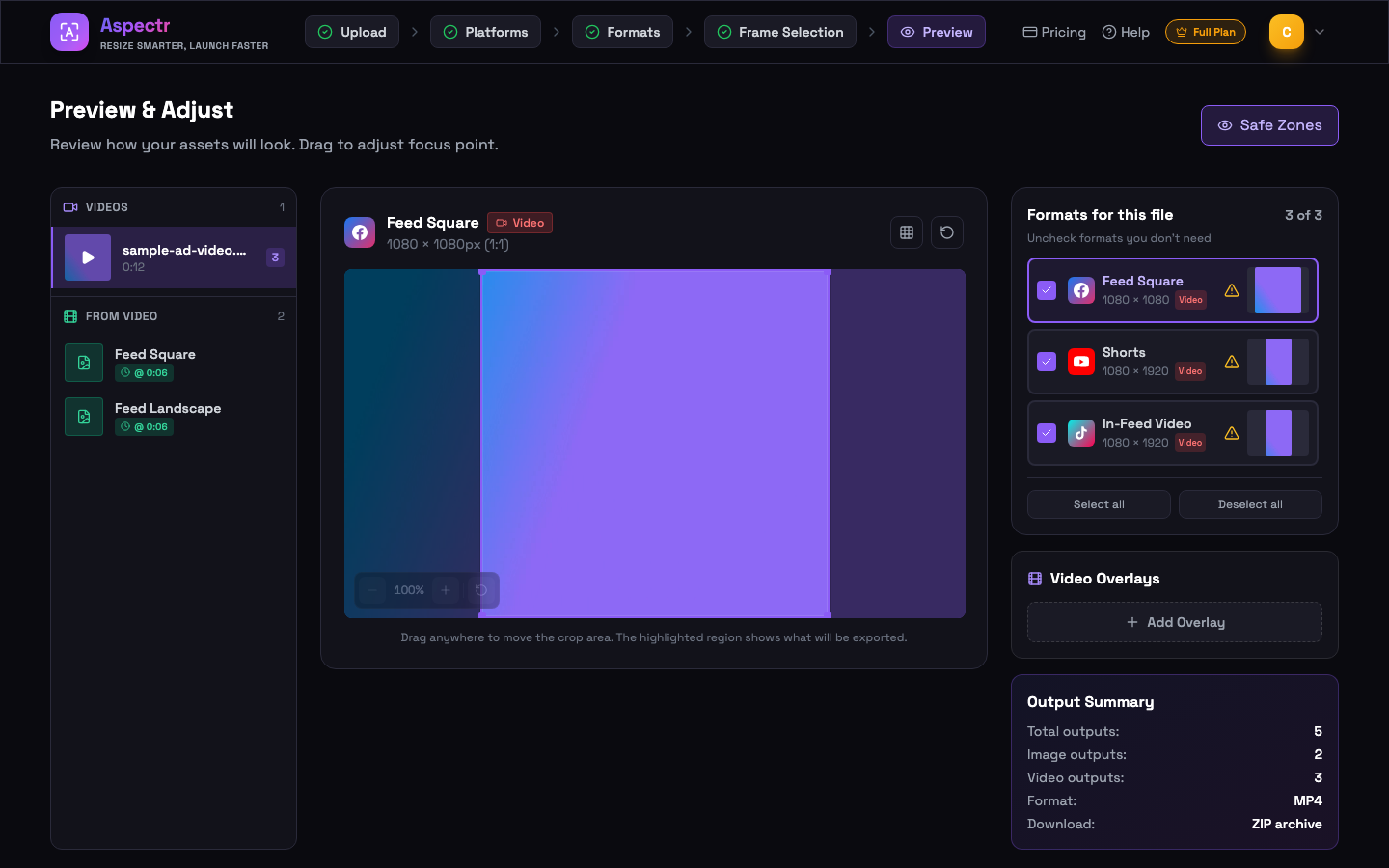
Every video format gets its own crop, just like images: drag to reposition, zoom to scale. Safe-zone guides appear on vertical placements so your message stays clear of platform UI. The sidebar lists your video plus any frame-extraction outputs, and the Output Summary shows the full batch before you commit.
Cloud processing
When you hit Generate, videos are uploaded securely and processed on cloud servers — typically well under a minute per batch for short ads. Your browser stays responsive and nothing depends on your machine's horsepower. Processed files are delivered in the same platform-organized ZIP as images, and source uploads are deleted from the processing service within 24 hours.
Branding your videos
Want a logo, text, or CTA that appears at exactly the right moment? Apply a video overlay preset in the preview step — the video overlay editor gives you a timeline with per-clip timing, and the overlay is baked into every exported format on the server.
Common questions
Not on the Full Plan — video processing is unlimited. Only the free trial has an allowance: 10 minutes, measured as source duration × number of selected video formats (a 30-second clip exported to 4 formats uses 2 minutes). The Image Plan does not include video.
Videos are uploaded securely to our processing partner (Transloadit), encrypted in transit, and automatically deleted within 24 hours. Signed-in users get accelerated cloud processing.
Upload MP4, MOV, or WebM. Export as MP4 (H.264, universal), WebM (VP9, web-optimized), MOV (Apple/pro editing), or keep the original container.
Yes — switch the Create As toggle to Image on the format step and pick image formats. You then choose the exact frame for each format. See the Frame Extraction guide for details.
The Image Plan is image-only. Video processing requires the Full Plan (or an active trial, which includes 10 video minutes).